
Multi-Location Weather Monitoring for Business Continuity
Multi-location weather monitoring means tracking severe weather and fire against your actual list of sites, so your team knows which locations are in the path before an event and which ones were hit after it. For a business continuity team, the goal is simple: no location should be affected without someone at headquarters knowing about it within hours, not days.
Why a weather app is not a continuity plan
Most companies already have weather information. Store managers check the forecast, regional managers watch the news, and someone at headquarters follows the National Weather Service. The problem is not access to weather. It is connecting weather to your footprint.
When a line of storms crosses three states overnight, the questions that matter are operational:
- Which of our sites were inside the warning areas?
- Which ones were actually inside the damage path?
- Which are open, which are closed, and which need an inspection?
- Who is on call for each region, and do they know?
A forecast answers none of these on its own. A monitoring program does.
The events worth tracking
Not every weather event threatens operations. A practical program focuses on the perils that cause downtime, damage and safety risk.
| Event | Typical warning | What it does to a site |
|---|---|---|
| Tornado | Minutes to hours (watches and warnings) | Roof and wall damage, debris, power loss, injuries |
| Flood and flash flood | Hours to days | Water intrusion, inventory loss, access cut off |
| Hurricane | Days | Wind, surge, flooding, extended closures and power outages |
| Wildfire | Hours to days, can change fast | Evacuation, smoke, access closed, building loss |
| Structure fire | None | Loss of a building, smoke and water damage next door |
| Severe thunderstorm wind | Hours | Roof damage, downed lines, outages |
Tornadoes are more common than many teams assume. The Storm Prediction Center counted 1,383 tornadoes in the U.S. in 2025, and the National Centers for Environmental Information logged 7,374 flood and flash flood events that were not tied to tropical systems that same year. Across a footprint of hundreds or thousands of sites, some locations will be close to an event every season.
Build the location list first
Monitoring is only as good as the list it runs against. Before choosing tools, clean up your site data.
- One record per site. Store number or site ID, street address and coordinates.
- Site type. Store, restaurant, warehouse, distribution center, office, data room, cell site or yard.
- Ownership. Owned, leased or franchised. This decides who handles repairs and claims.
- Contacts. Site manager, regional or district manager, facilities lead, landlord where relevant.
- Criticality. Which sites would hurt most if closed for a week? A distribution center feeding fifty stores matters more than one store.
- Hours and staffing. Whether people are on site overnight or on weekends.
Keep the list in one place and update it when sites open, close or move. Stale lists are the most common reason a hit location is missed.
Before the event: forecast alerts
Forecast-stage alerts give your team time to prepare. Useful triggers include:
- A tornado watch or warning covering a site
- A flood watch or warning, or a site in a forecast river flood area
- A hurricane forecast track and wind field that includes your sites
- A wildfire burning within a set distance of a site
For each trigger, decide in advance who gets notified and what they do. Examples: move inventory off the floor, confirm generator fuel, send staff home early, close a store, secure outdoor equipment, or shift orders to another distribution center.
After the event: impact alerts
The second alert matters just as much. After an event, you want to know which sites were actually inside the damage area, not only which ones were in a warning box. Warnings cover large areas, and most sites inside them come through fine.
Impact-stage information tells you which sites were inside a tornado path, a flood area, a hurricane's damaging winds or a wildfire, and which had a structure fire at or near the site. Knowing that for each location tells you where to send people first.
A simple response workflow
| Stage | Action | Owner |
|---|---|---|
| Forecast | Alert regional managers and site leads for sites in the path | Business continuity |
| Forecast | Prepare: secure sites, check backup power, plan closures | Site and regional managers |
| During | Track staff safety and site status | Regional managers |
| Impact | List sites inside the damage area, ranked by criticality | Business continuity, facilities |
| Impact | Contact each site, schedule inspections | Facilities |
| Recovery | Repairs, claims, reopening, reporting to leadership | Facilities, risk, finance |
Keep this table in your continuity plan and assign names, not just departments.
Common gaps
- Alerts go to one inbox. If the person who watches it is on vacation, nothing happens. Route alerts to roles and to a shared channel.
- Too many alerts. If every thunderstorm triggers a message, people stop reading. Tune triggers by event type and site criticality.
- No follow-up loop. An alert should end with a recorded status: no impact, minor, closed, damaged.
- Ignoring non-weather fires. A fire in the building next door can close a store as surely as a tornado.
- Leased and franchised sites left out. Even when someone else owns the building, your brand and revenue are affected.
Reporting to leadership
After an event, leadership wants a short answer: how many sites were affected, how many are closed, when they reopen and what it costs. If your monitoring records each alert and each site's status, this report takes minutes. Keep a running event log so you can review response times and recurring problem sites after each season.
How Dorothy helps
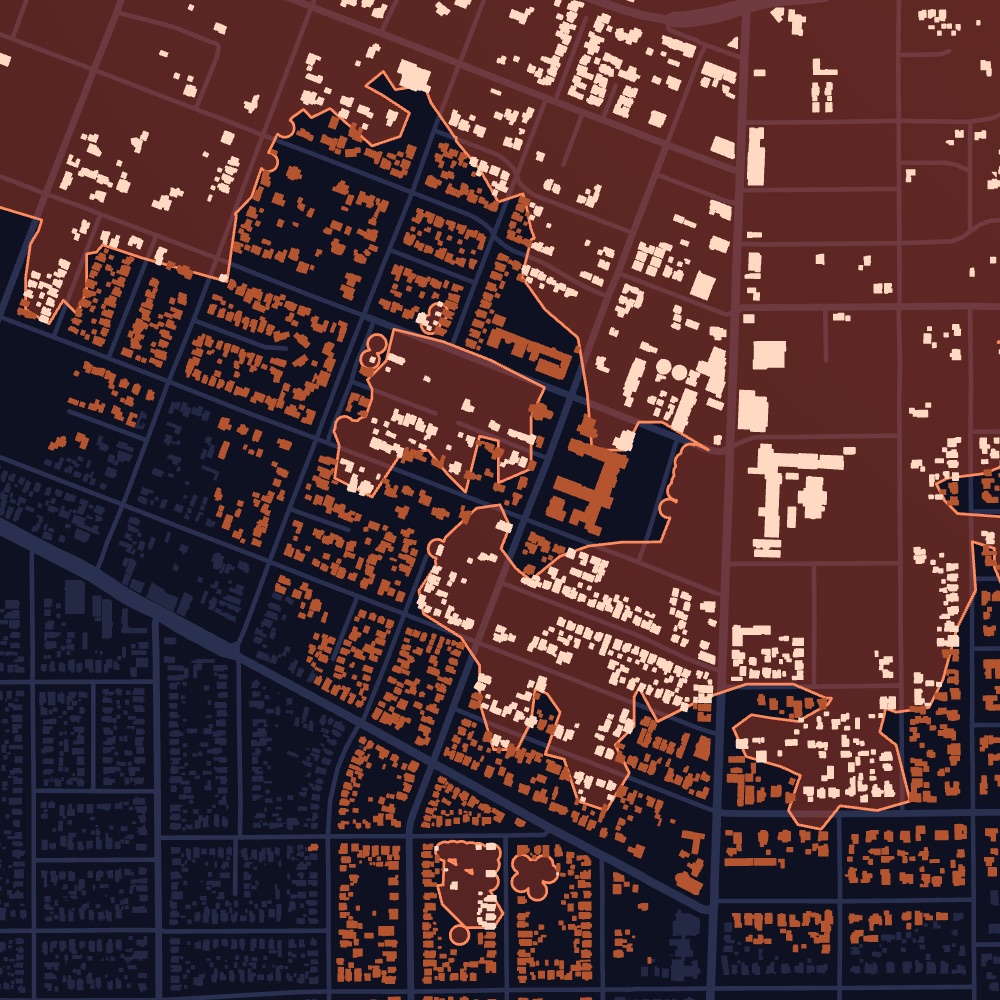
Atlas monitors your list of locations for tornadoes, floods, hurricanes, wildfires and structure fires, down to the building. It alerts your team when a storm is forecast to hit a site and again when it touches down, so you know which locations were actually in the damage area. Alerts and site details can be delivered into HubSpot, Pipedrive or a CSV your team already works from.
Frequently asked questions
What is multi-location weather monitoring?
It is tracking severe weather and fire against your own list of sites, so alerts tell you which locations are in the path and which were affected, instead of describing weather in general.
Which weather events should a business continuity plan cover?
At minimum tornadoes, floods, hurricanes, wildfires, severe wind and structure fires, weighted by where your sites are and which ones are most critical.
How do we avoid alert fatigue?
Set triggers by event type, distance and site criticality, send forecast and impact alerts to specific roles, and close each alert with a recorded site status.
Do we need to monitor leased and franchised locations?
Yes. Ownership decides who repairs the building, but closures affect your revenue, customers and brand regardless of who owns it.